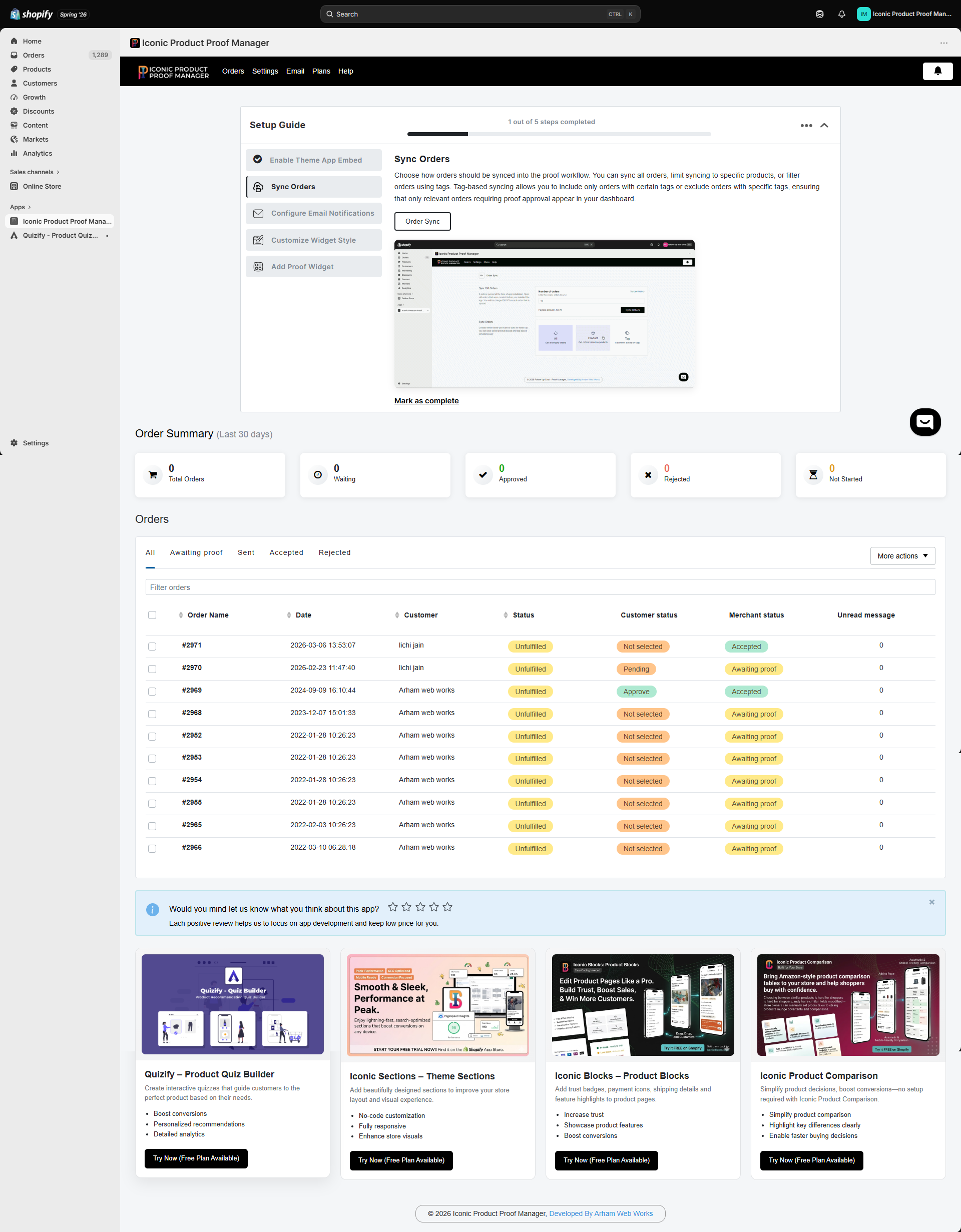
Order Summary
A rolling 30-day snapshot of your synced orders, broken down by your merchant status:The Orders table
Each row is one synced order. Use the tabs (All, Awaiting proof, Sent, Accepted, Rejected) to filter by status, or type in the Filter orders box to search by order name, date, or customer name. Click any column header to sort. Columns:- Order Name — the Shopify order number
- Date — when the order was placed
- Customer — customer name
- Status — Shopify’s fulfillment status (e.g. Unfulfilled)
- Customer status — what the customer has done:
Not selected,Pending,Approve,Reject - Merchant status — what you’ve set:
Not Started,Awaiting proof,Accepted,Rejected - Unread message — count of unread messages from the customer
Customer status and merchant status are tracked independently. A customer can approve a proof while you still have the order marked “Awaiting proof” until you update it — see Managing an Order.