How it works
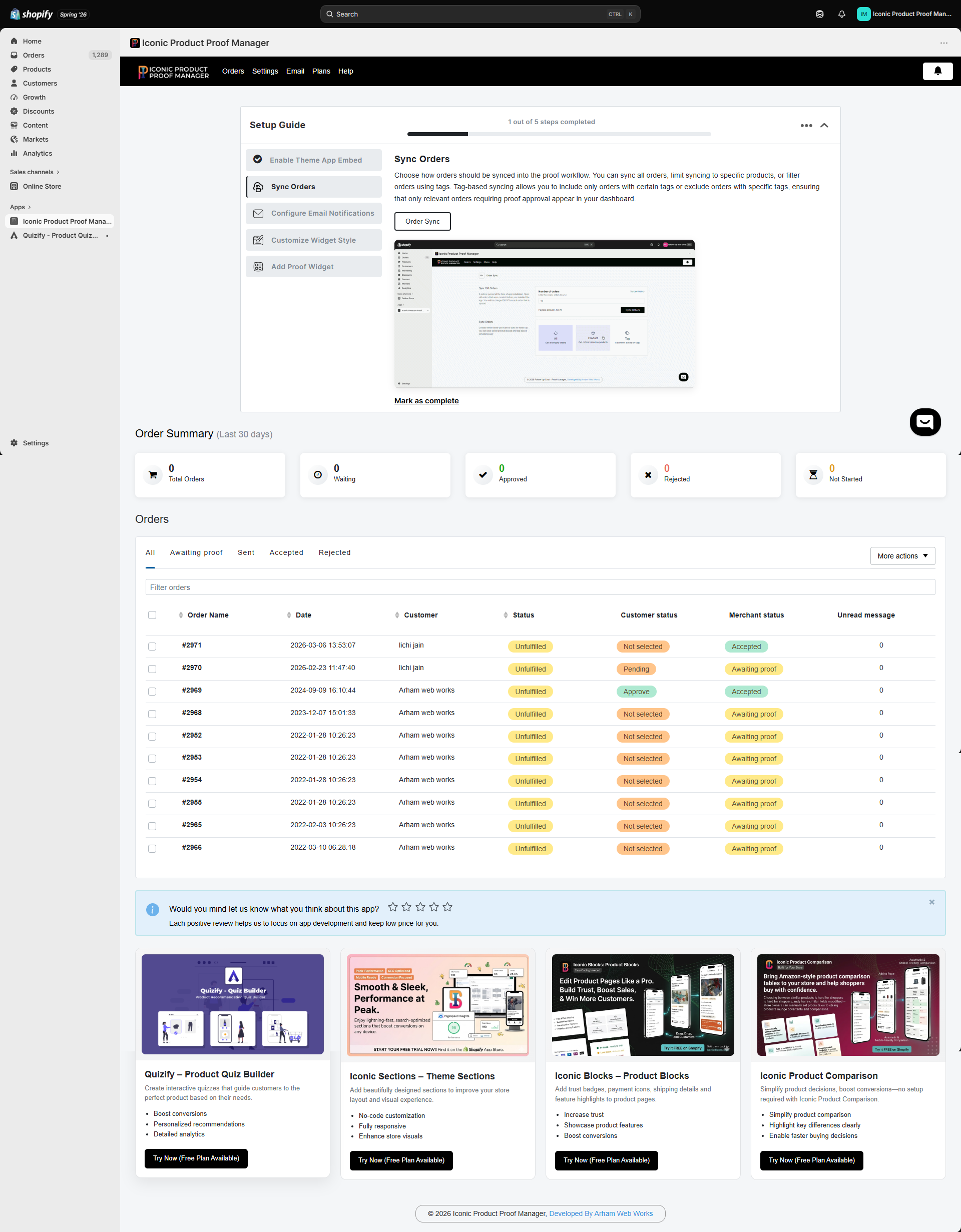
- Sync orders — the app pulls new (and optionally historical) Shopify orders into a dashboard, filtered by all orders, specific products, or order tags.
- Chat per order — every synced order gets its own message thread. You can message the customer, and the customer can reply from a widget on your storefront.
- Share a proof — attach an image or PDF proof to the conversation.
- Get an approval — the customer approves or rejects the proof from the same widget. You track this as a Customer status, independent of your own Merchant status.
- Invoice and fulfill — optionally send an invoice link for extra customization charges, then fulfill the order once it’s approved.
Where everything lives
Key features
Order-specific chat
A dedicated conversation thread per order, visible to you in Shopify admin and to the customer on your storefront.
Proof uploads
Attach images or PDFs to a message, with version history if you need to send a revised proof.
Approval workflow
Customers approve or reject proofs; you track merchant-side status separately (Not Started, Waiting, Accepted, Rejected).
Flexible order sync
Sync all orders, only orders containing specific products, or only orders with specific tags.
Email notifications
Automatic emails for new orders, new messages, proof revisions, and status changes — fully editable, with custom SMTP support.
Branded widget
Match the chat widget’s fonts, colors, and labels to your store, in any language.
This documentation covers the merchant-facing admin (inside Shopify) and the customer-facing chat widget on your storefront. If you’re a shopper looking for help with an order, use the Follow Up With Us widget on the store where you placed your order, or contact that store directly.