> ## Documentation Index
> Fetch the complete documentation index at: https://proof-manager-docs.geticonicapps.com/llms.txt
> Use this file to discover all available pages before exploring further.
# Quick Responses
> Reusable canned replies for the order chat
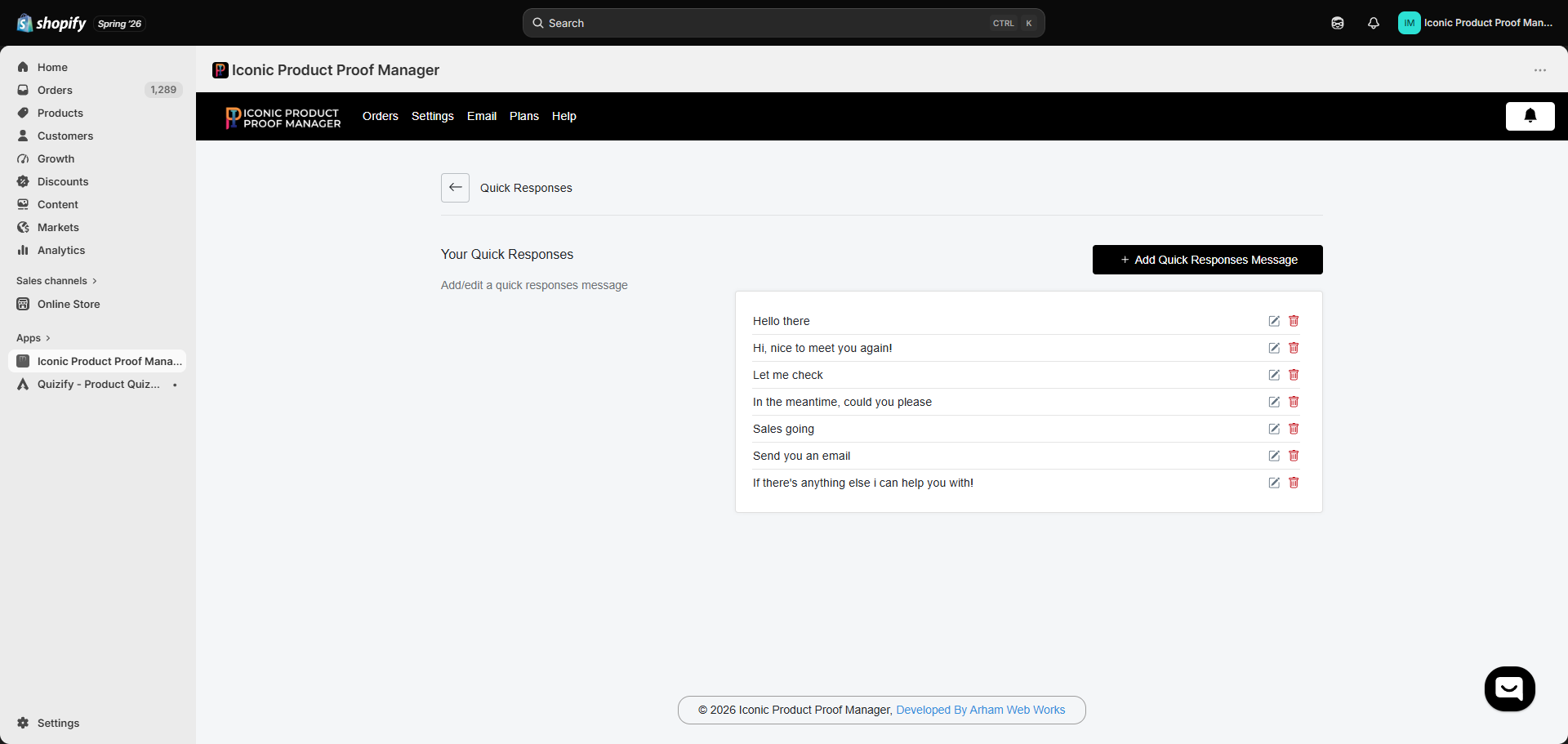
**Settings → Quick Responses** stores reusable message templates so you don't have to retype common replies for every order.
 ## Managing your responses
* Click **Add Quick Responses Message** to create a new canned reply.
* Use the pencil icon to edit an existing one, or the trash icon to delete it.
Once saved, every quick response appears in the **Please select quick response** dropdown on an order's chat screen (see [Managing an Order](/orders/03-managing-an-order)) — selecting one drops the text straight into your message box, ready to send or tweak before sending.
Good candidates for quick responses: shipping-time confirmations, requests for more design details, thank-you messages after approval, and standard rejection follow-ups asking for revision notes.
## Managing your responses
* Click **Add Quick Responses Message** to create a new canned reply.
* Use the pencil icon to edit an existing one, or the trash icon to delete it.
Once saved, every quick response appears in the **Please select quick response** dropdown on an order's chat screen (see [Managing an Order](/orders/03-managing-an-order)) — selecting one drops the text straight into your message box, ready to send or tweak before sending.
Good candidates for quick responses: shipping-time confirmations, requests for more design details, thank-you messages after approval, and standard rejection follow-ups asking for revision notes.