> ## Documentation Index
> Fetch the complete documentation index at: https://proof-manager-docs.geticonicapps.com/llms.txt
> Use this file to discover all available pages before exploring further.
# Language Settings
> Translate or reword every label and message in the widget
**Settings → Language** lets you rewrite every piece of text the chat widget shows — useful for translating the widget into your store's language, or simply changing the tone of voice.
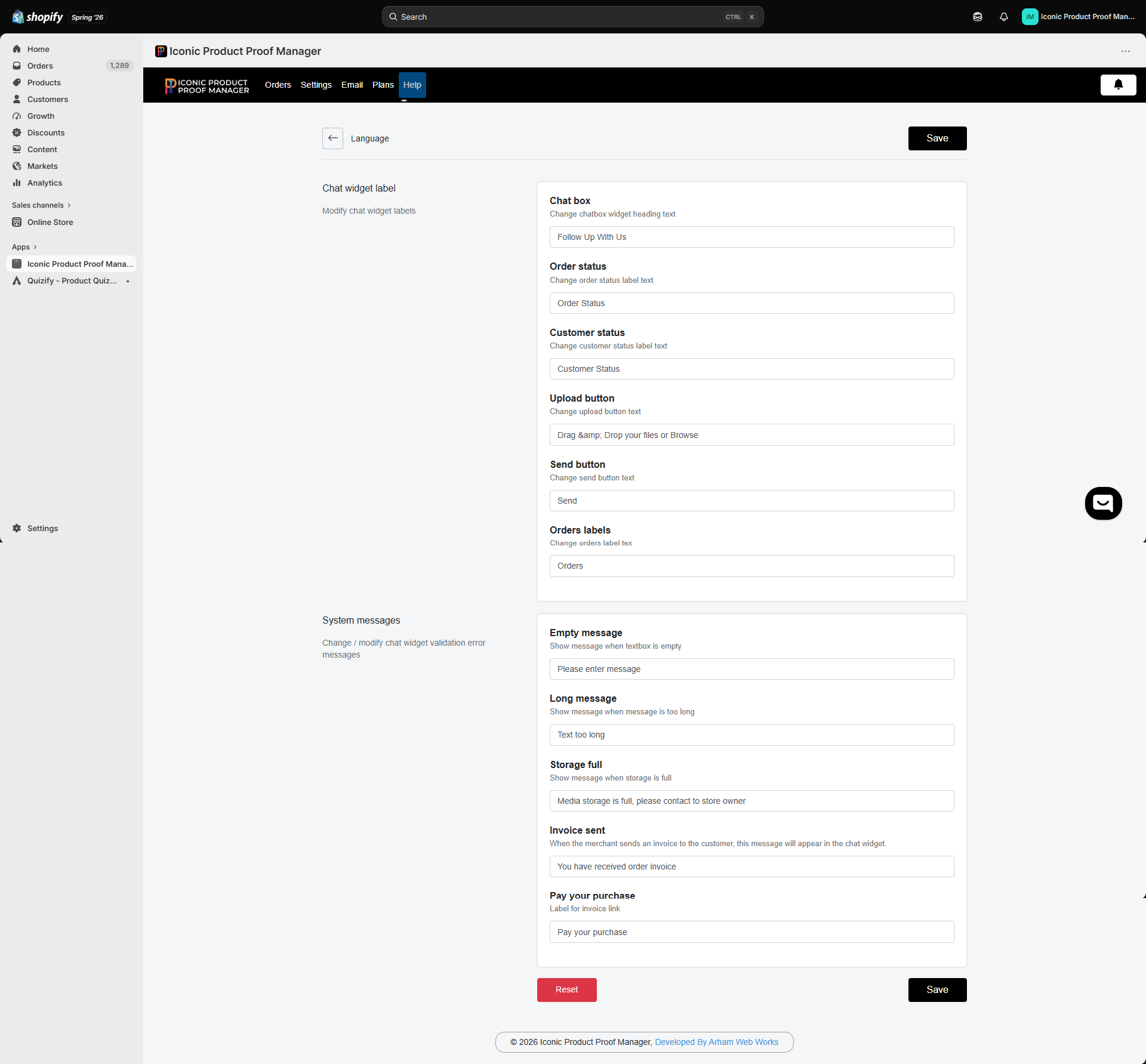 ## Chat widget labels
| Field | Default | Where it appears |
| --------------- | ---------------------------------- | -------------------------------------------------------------------------------- |
| Chat box | `Follow Up With Us` | Widget heading |
| Order status | `Order Status` | Label above the order status value |
| Customer status | `Customer Status` | Label above the customer's approval status |
| Upload button | `Drag & Drop your files or Browse` | File upload dropzone |
| Send button | `Send` | Send message button |
| Orders labels | `Orders` | Heading of the order list sidebar (for logged-in customers with multiple orders) |
## System messages
| Field | Default | Shown when |
| ----------------- | ------------------------------------------------------ | --------------------------------------------- |
| Empty message | `Please enter message` | Customer tries to send with an empty text box |
| Long message | `Text too long` | The message exceeds the allowed length |
| Storage full | `Media storage is full, please contact to store owner` | Your plan's storage limit is reached |
| Invoice sent | `You have received order invoice` | You send an invoice to the customer |
| Pay your purchase | `Pay your purchase` | Label on the invoice payment link |
Edit any field and click **Save**. Use **Reset** to restore all labels and messages to their defaults.
These settings only change the storefront widget's text — they don't affect email notification content, which is edited separately in [Notification Settings](/email-notifications/01-notification-settings).
## Chat widget labels
| Field | Default | Where it appears |
| --------------- | ---------------------------------- | -------------------------------------------------------------------------------- |
| Chat box | `Follow Up With Us` | Widget heading |
| Order status | `Order Status` | Label above the order status value |
| Customer status | `Customer Status` | Label above the customer's approval status |
| Upload button | `Drag & Drop your files or Browse` | File upload dropzone |
| Send button | `Send` | Send message button |
| Orders labels | `Orders` | Heading of the order list sidebar (for logged-in customers with multiple orders) |
## System messages
| Field | Default | Shown when |
| ----------------- | ------------------------------------------------------ | --------------------------------------------- |
| Empty message | `Please enter message` | Customer tries to send with an empty text box |
| Long message | `Text too long` | The message exceeds the allowed length |
| Storage full | `Media storage is full, please contact to store owner` | Your plan's storage limit is reached |
| Invoice sent | `You have received order invoice` | You send an invoice to the customer |
| Pay your purchase | `Pay your purchase` | Label on the invoice payment link |
Edit any field and click **Save**. Use **Reset** to restore all labels and messages to their defaults.
These settings only change the storefront widget's text — they don't affect email notification content, which is edited separately in [Notification Settings](/email-notifications/01-notification-settings).